 BuyerClear

- Permanent color 6.0 License $8.40
- Backbar gallon License $22.00
- Case of 12, unscented $64.00 $48.00
Guest view with trade products excluded from public catalogs. The retail case still has a price.
Jordan Hale, licensed professional, New York, in the shop’s B2B market. Professional items priced, the case at trade price.
Example with Shopify catalogs configured for trade access. Toggle Guest and Approved.
See the evidence before you decide
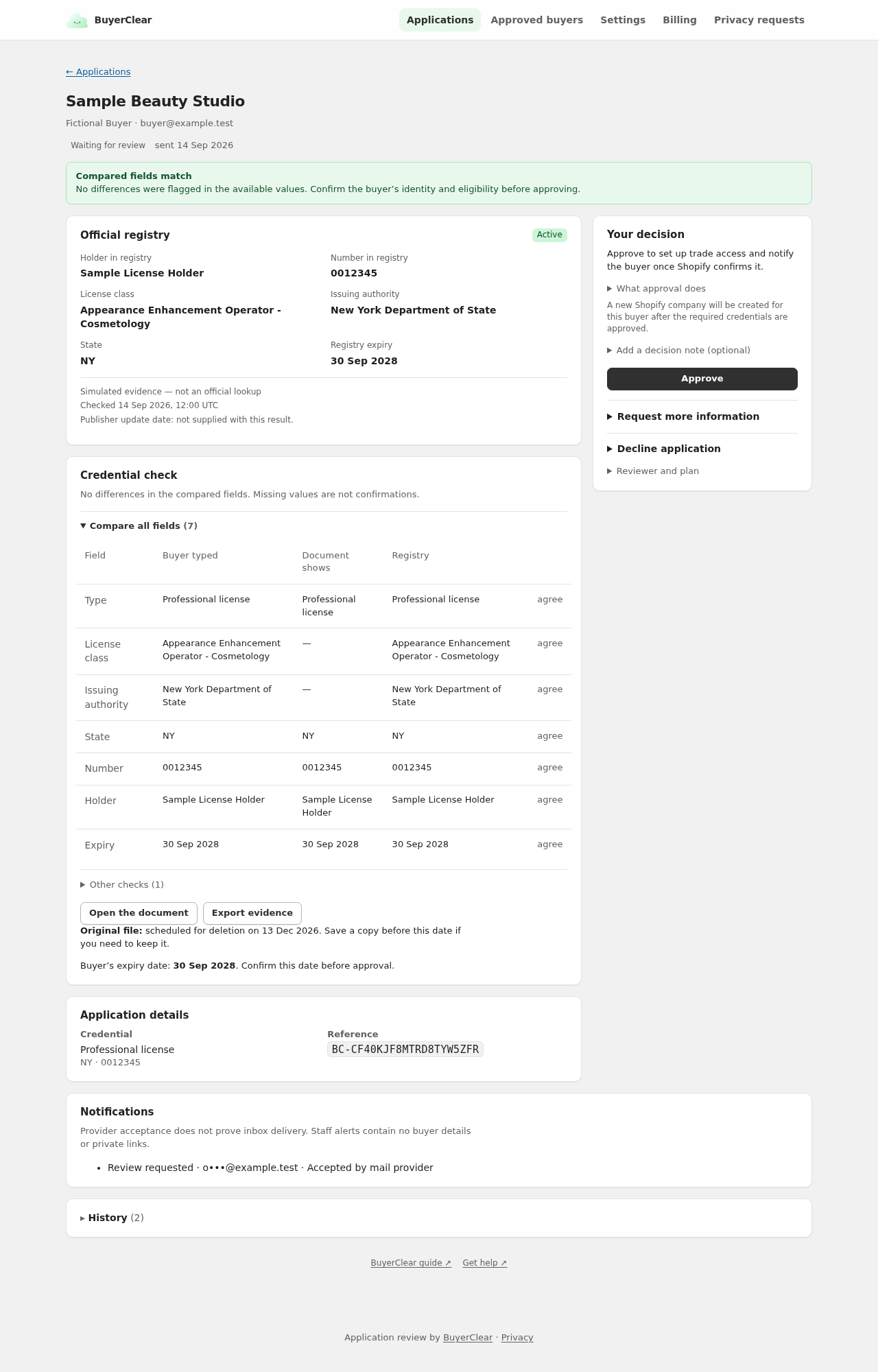
Compare entered details, official-source evidence and any document reading. Your staff make the decision.
Access is which products they can buy
Approved buyers join the B2B market you pick. Its Shopify catalogs set their products and prices. To keep trade products private, exclude them from public Region catalogs in Shopify.


Staff approval starts the access steps. BuyerClear marks access active only after Shopify confirms the changes.
Set up professional-only purchasing · Plan for expiry and renewals
The application page wears the shop
Buyers apply on a page we host that carries the shop’s name. BuyerClear appears once, in the footer.


How it works
- Invite the buyer to enter their exact license details and add a supporting file when your shop requires one.
- Compare the entered details, available official evidence and any document reading. Staff approve, decline or request more information.
- Confirm Shopify access after approval. Daily expiry checks consider approved renewals before removing BuyerClear-managed access.
A register can confirm an exact identifier and report its status. A holder name, when published, is comparison evidence and never selects a record. Every rule in full.
Who it is for
Shopify shops that must verify professional buyers before granting trade access, with a supported licence class and an eligible B2B market.
- Professional-only beauty supply
- Licensed estheticians, cosmetologists and barbers
- Other professions where staff can complete the official check manually
What BuyerClear does not do, and what to keep using instead.
Check coverage before inviting buyers
The production service has configured professional checks for listed licence classes in Connecticut, Delaware, New York and Texas: beauty, barbering, tattoo, massage, dentistry, medicine, nursing, pharmacy, veterinary, alcohol, tobacco and cannabis licences from the authorities named on the coverage page. The exact class and issuing authority matter; a state name alone does not establish coverage.
Texas TDLR and Illinois beauty licences are not enabled. Other classes require manual review. Supported sources can still be unavailable or stale at the time of a lookup.



Start with five approved buyers.
Current pricing: Free for up to 5 approved buyers; Core $29/month for additional buyers. Both include one deciding reviewer.
Renewals do not use another free place; the allowance does not reset monthly. Original downloads and individual evidence exports are available on every plan.
You choose and approve Core through Shopify App Pricing. Reaching five approved buyers never creates a charge automatically.